没有需求那就创造需求,所以我买了个 4G 内存的树莓派 5。
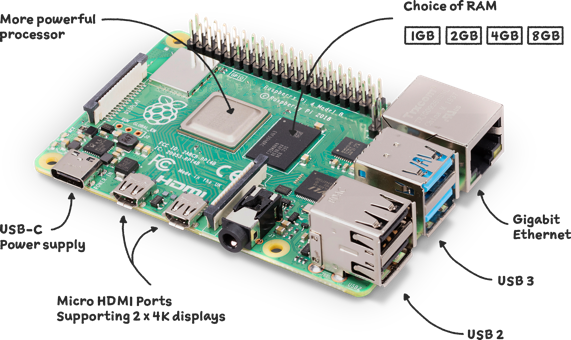
树莓派是一台 arm 处理器的小电脑,有许多接口可以用来连接不同的设备。
之前买过便宜的香橙派,从网盘下载系统镜像实在难绷。
树莓派上可以运行许多不同的发行版,我用的是 VoidLinux。安装系统很简单,下载系统镜像后写入 SD 卡,插上 SD 卡开机就可以了。
如果要 chroot 调整系统,参考 Chroot installation from a computer with an incompatible archtecture。
If doing this from a computer with an incompatible archtecture (such as x86_64), install binfmt-support, enable the binfmt-support service, and install the relevant QEMU user emulator (like qemu-user-aarch64 for aarch64 or qemu-user-arm for 32-bit ARM) before installing. If binfmt-support was installed after the QEMU user emulator, use xbps-reconfigure -f qemu-user-<arch> to enable the relevant binfmts.
分区表是这样的:
sda1    /boot   vfat
sda2    /   ext4
软件仓库配置后面要加上 aarch64:
repository=https://repo-default.voidlinux.org/current/aarch64
参考 https://docs.voidlinux.org/xbps/repositories/index.html#the-main-repository。
xbps 证书错误无法安装软件,同步时间就好了:
cd /var/service
ln -s /etc/sv/chronyd


